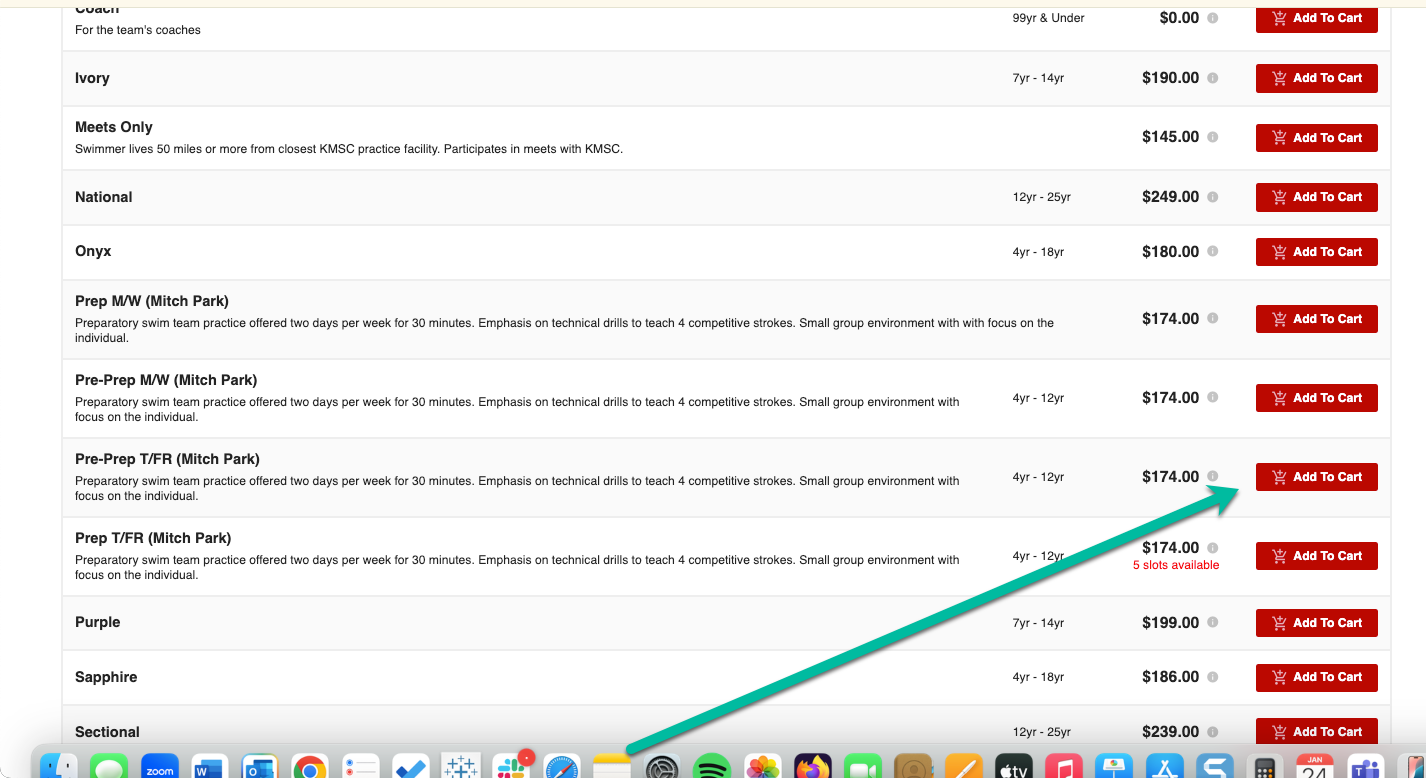
1. Add the group that you were given from your child(ren)'s evaluation
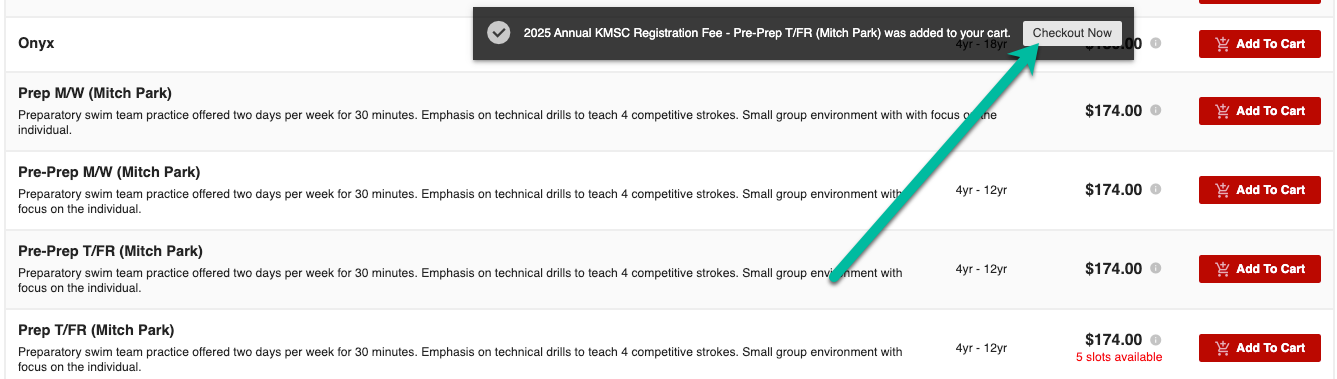
2. After adding items to your cart, click the 'Checkout Now' Button
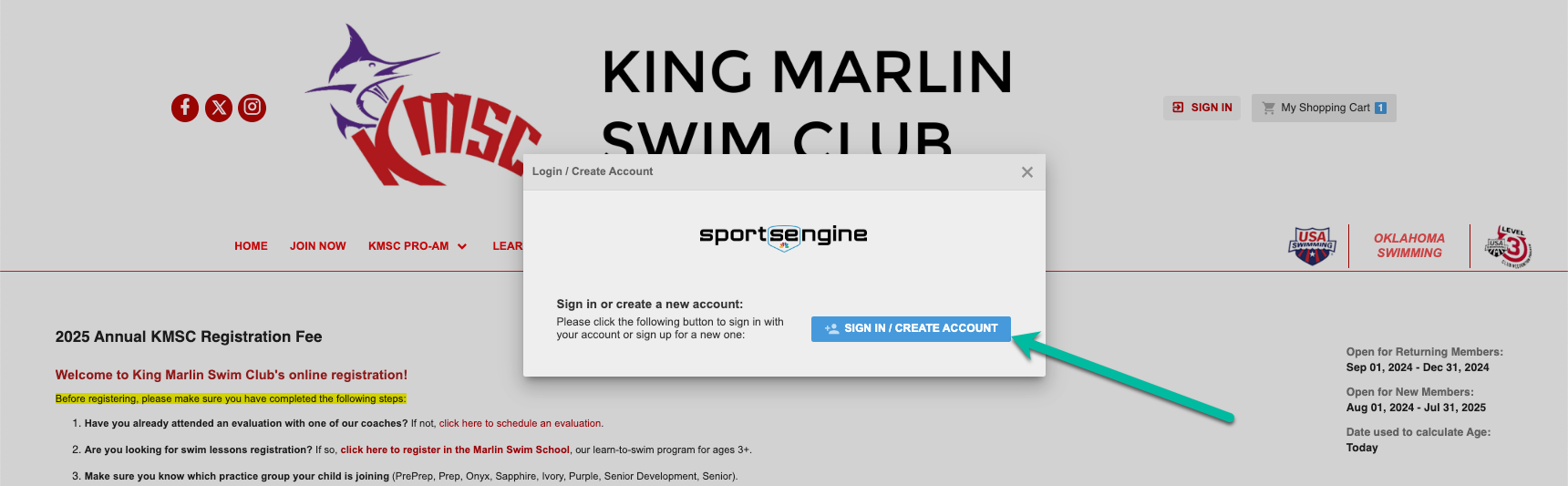
3. Click on 'SIGN IN/CREATE ACCOUNT'
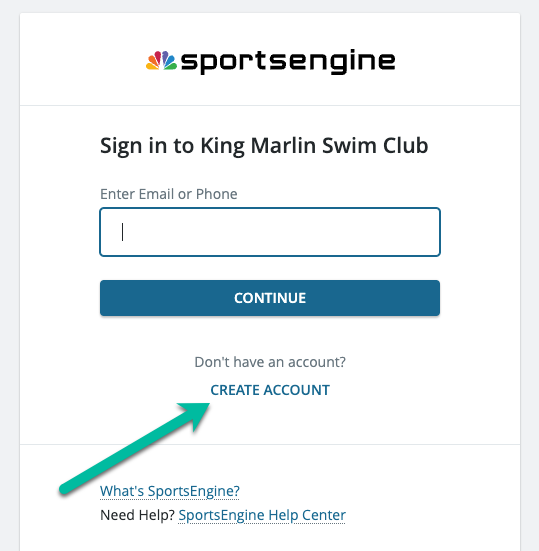
4. Click on 'CREATE ACCOUNT' or if you already have a sportsengine account use that login email or phone number.
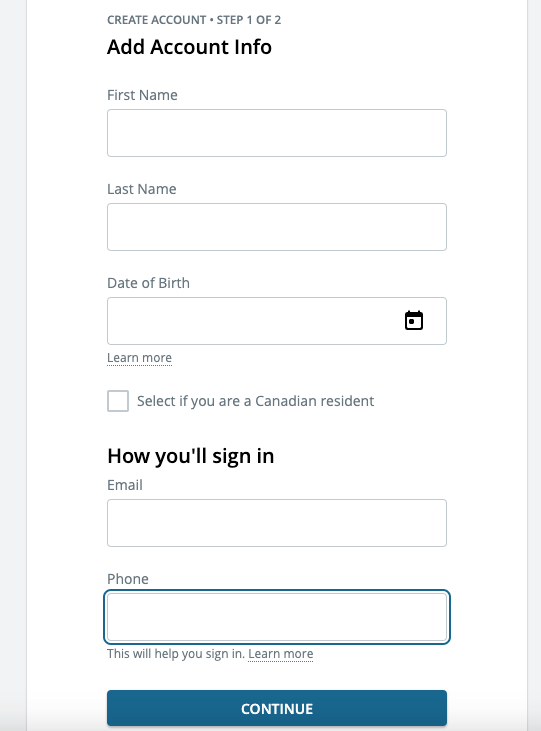
5. If you need to create account, you will see the next screen to fill out
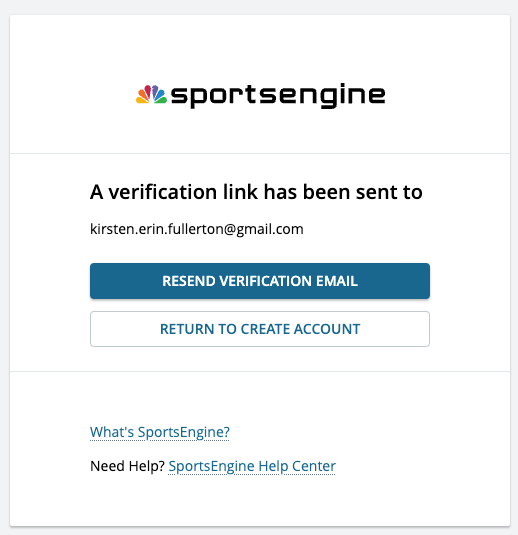
6. You will need to check your email after account creation to verify your account.
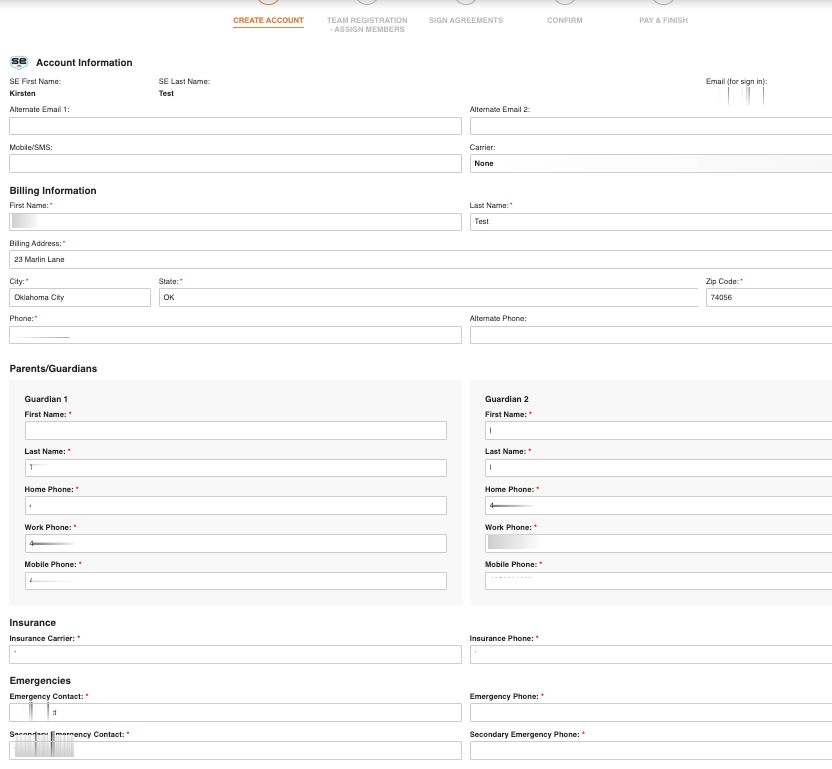
7. After verifying your account via email use the email link to take you back to sportseingine where you will be prompted to Create Your Account for King Marlin Swim Club. This first part is your information as the parent or guardian.
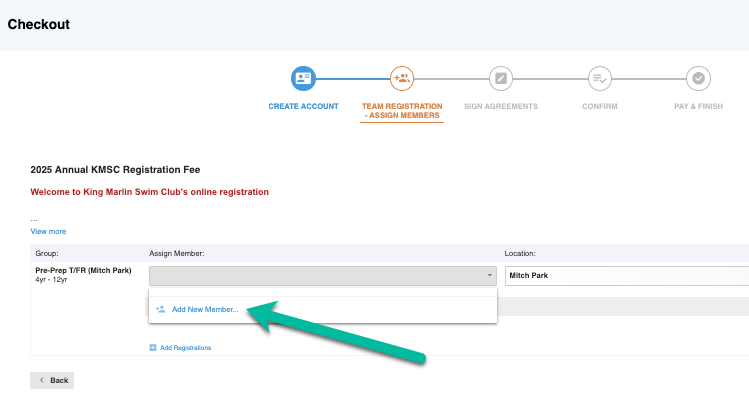
8. Clicking on next on the screen after filling out your parent/guardian information will bring you to the following screen. In the Assign Member Box, you will click on 'Add New Member'
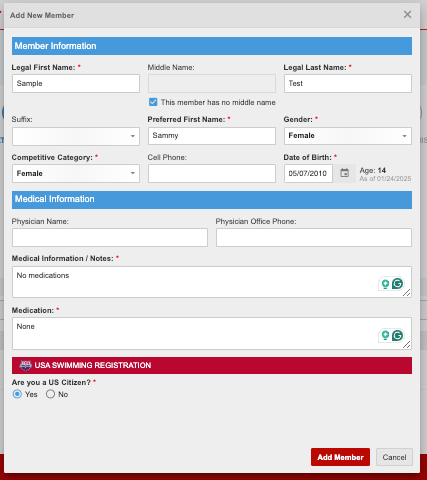
9. You will then be prompted to add information about child. You will need your physician's name, number, and insurance information.
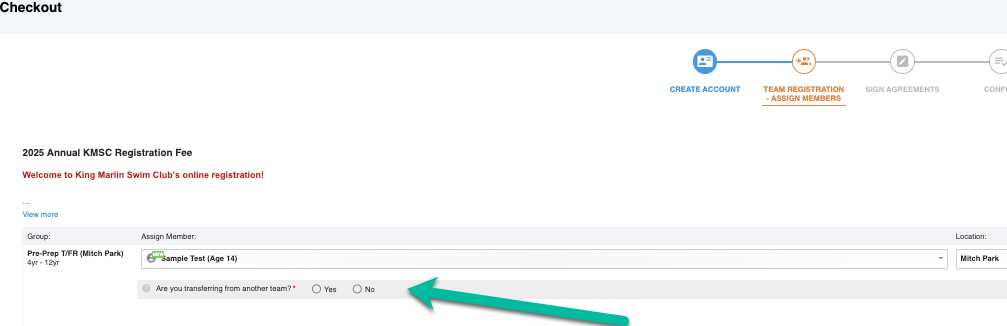
10. After adding the member you will be asked if you are transferring from another team. If the swimmer has previously swam on another USA Swimming club you will need to check transfer.
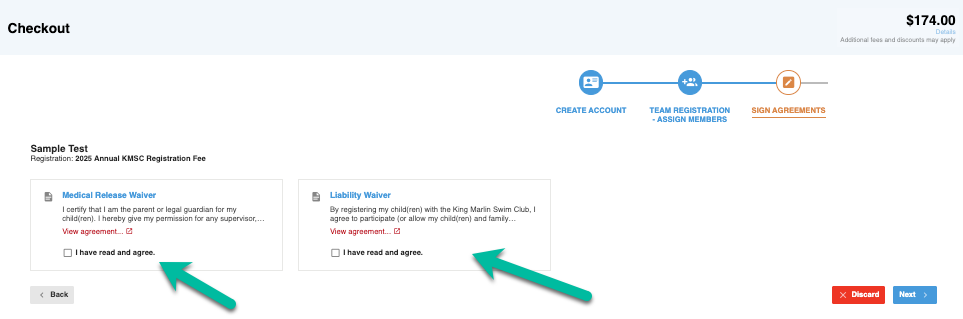
11. You will need to accept the Medical Release Waiver and Liability Waivers. Then click Next.
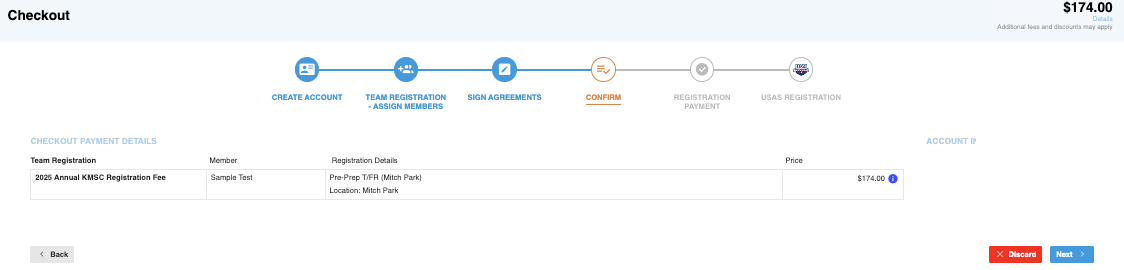
12. Confirm your information. Then click next.
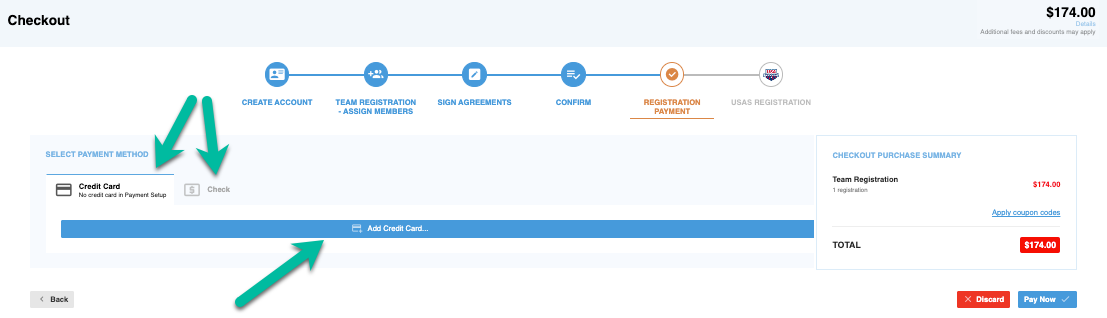
13. Select Your Payment Method - Credit Card or Check. If you are paying by credit card click on the add credit card button. If you click on check you will be provided the mailing address for your check. We must receive your check before activating your account. Click on Pay Now after selecting your payment method.