How to Add Shirt Size to Your Account

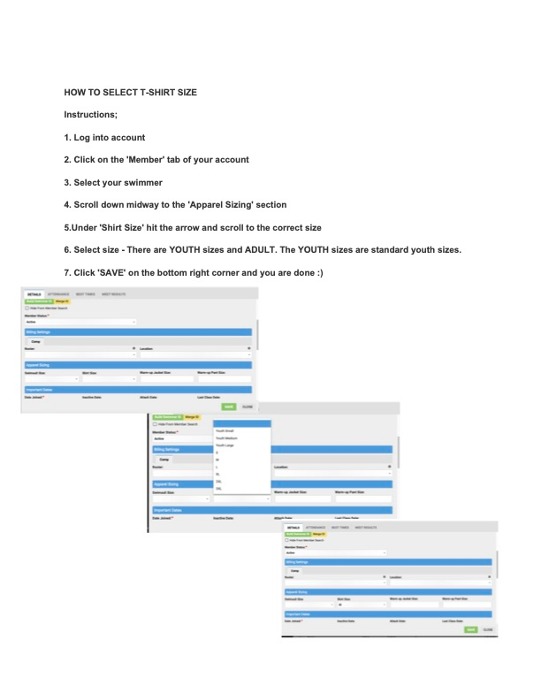
Instructions;
1. Log into account
2. Click on the 'Member' tab of your account
3. Select your swimmer
4. Scroll down midway to the 'Apparel Sizing' section
5.Under 'Shirt Size' hit the arrow and scroll to the correct size
6. Select size - There are YOUTH sizes and ADULT. The YOUTH sizes are standard youth sizes.
7. Click 'SAVE' on the bottom right corner and you are done :)