It is now possible to subscribe to both practice times and meets/events!
Please note that due to a bug in the Team Unify system, you must subscribe to practice times and meet/events SEPARATELY.
The instructions below outline how to subscribe to practice times first, and then to meets/events next.
TO SUBSCRIBE TO PRACTICE TIMES:
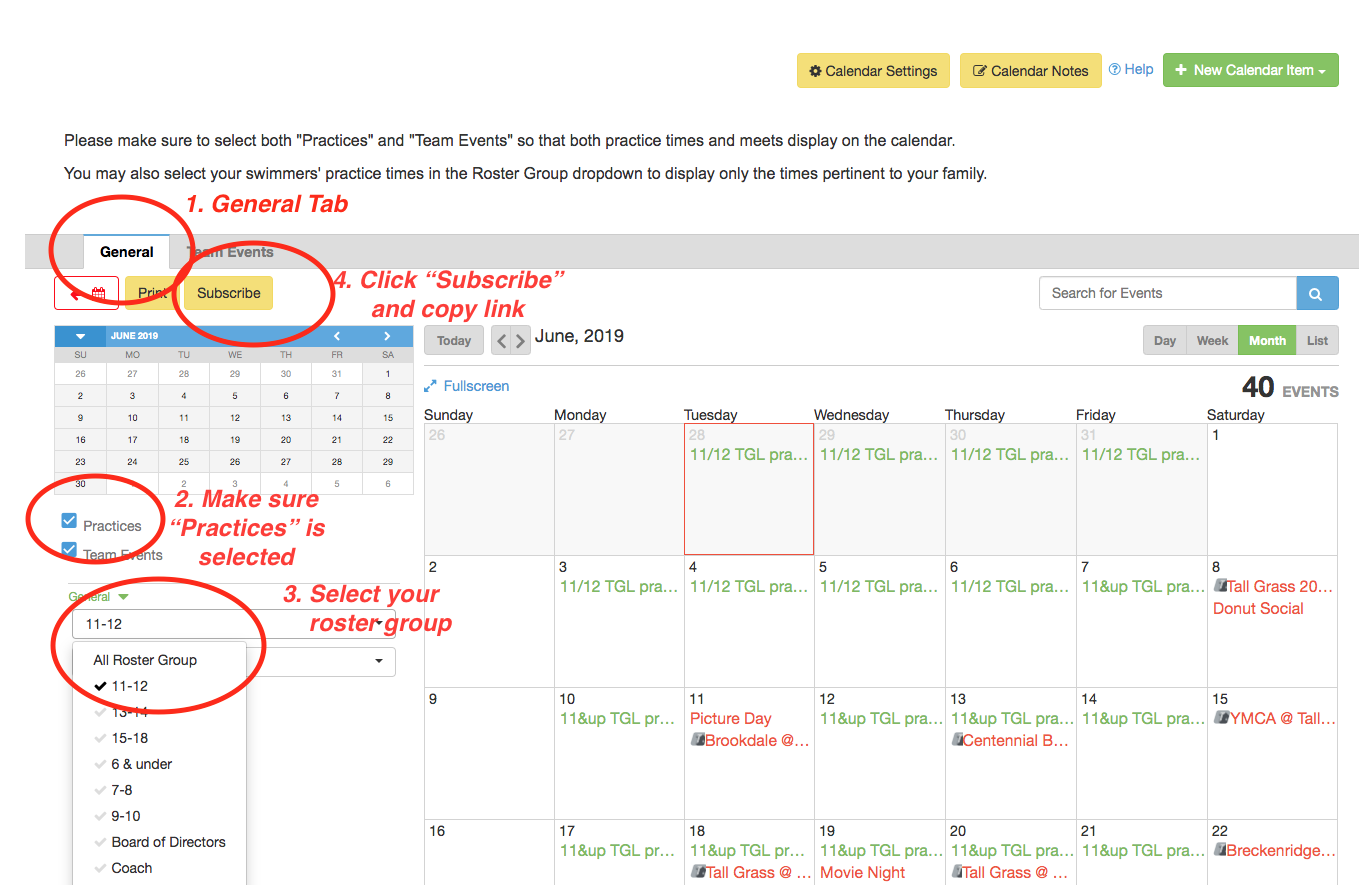
- In the Tall Grass Lightning calendar, select the "General" tab
- Make sure "Practices" is selected.
- Select your swimmer's roster group in the dropdown. You may select more than one roster group if you have multiple swimmers.
- Click the yellow "Subscribe" button and copy the link provided.
iOS:
- Go to Settings > Passwords & Accounts > Add Account > Other.
- Tap "Add Subscribed Calendar."
- Enter the copied link from above.
- Tap "Save."
Android:
- On your computer (not phone), open Google Calendar.
- On the left, above "My Calendars," click "Add" and then "From URL."
- Enter the copied link from above into the field provided.
- Click "Add Calendar." The calendar will appear on the left-hand nav, under "Other calendars."
- On your phone, make sure you have set this calendar to "sync"
- Note: It might take up to 12 hours for changes to show in your Google Calendar.
TO SUBSCRIBE TO MEETS/EVENTS:
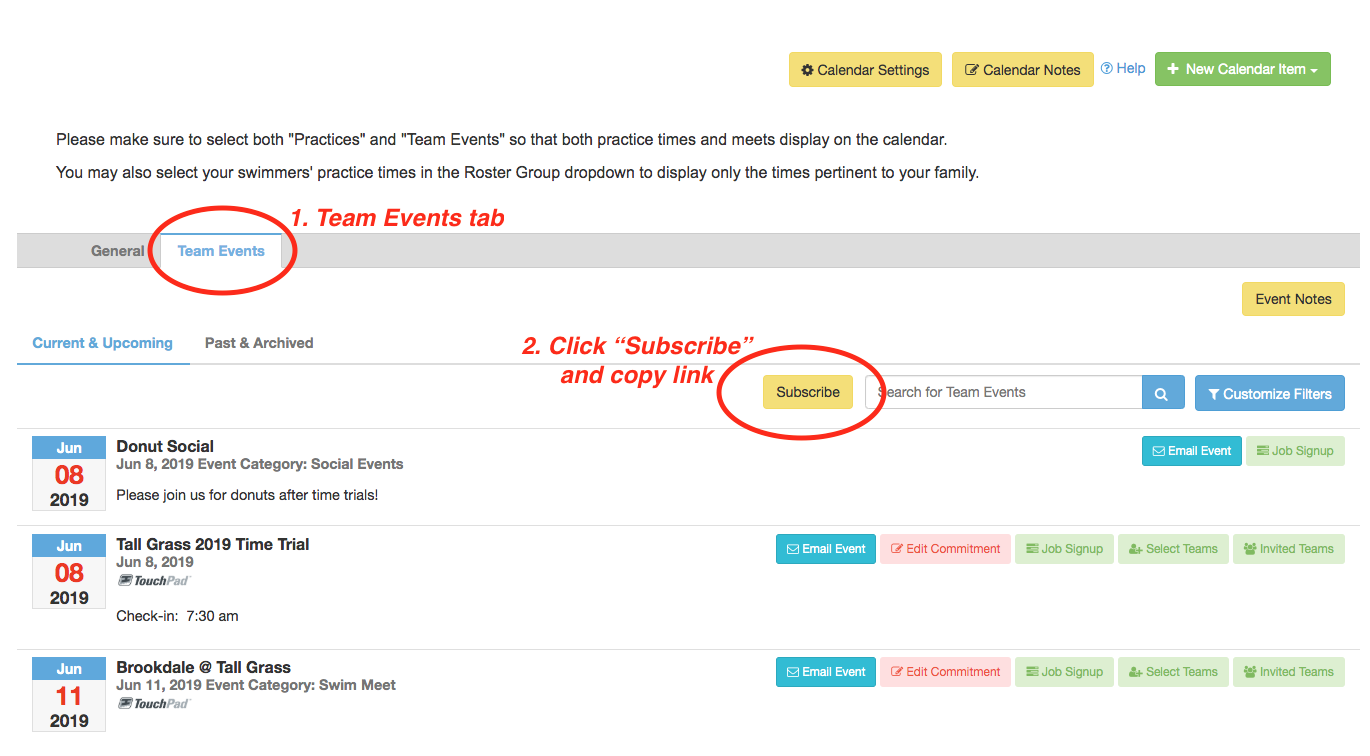
- In the Tall Grass Lightning calendar, select the "Team Events" tab.
- Click the yellow "Subscribe" button and copy the link provided.
- Follow the above instructions for either iOS or Android phones.