Practice Schedule FAQs The Practice Schedule contains practice dates/times/locations for all BOWS training groups. It is a Google calendar, so it is exportable to your own electronic calendar. Looking at the entire calendar can be a bit overwhelming, so we have designed it to be flexible for your family’s needs. The default view of the calendar includes practices for all swim groups. To view only the training group(s) that your swimmers attend, click the drop-down box in the upper right corner ( arrow to the right of "Agenda"--see image). In that box, de-select the groups you don not want to display. 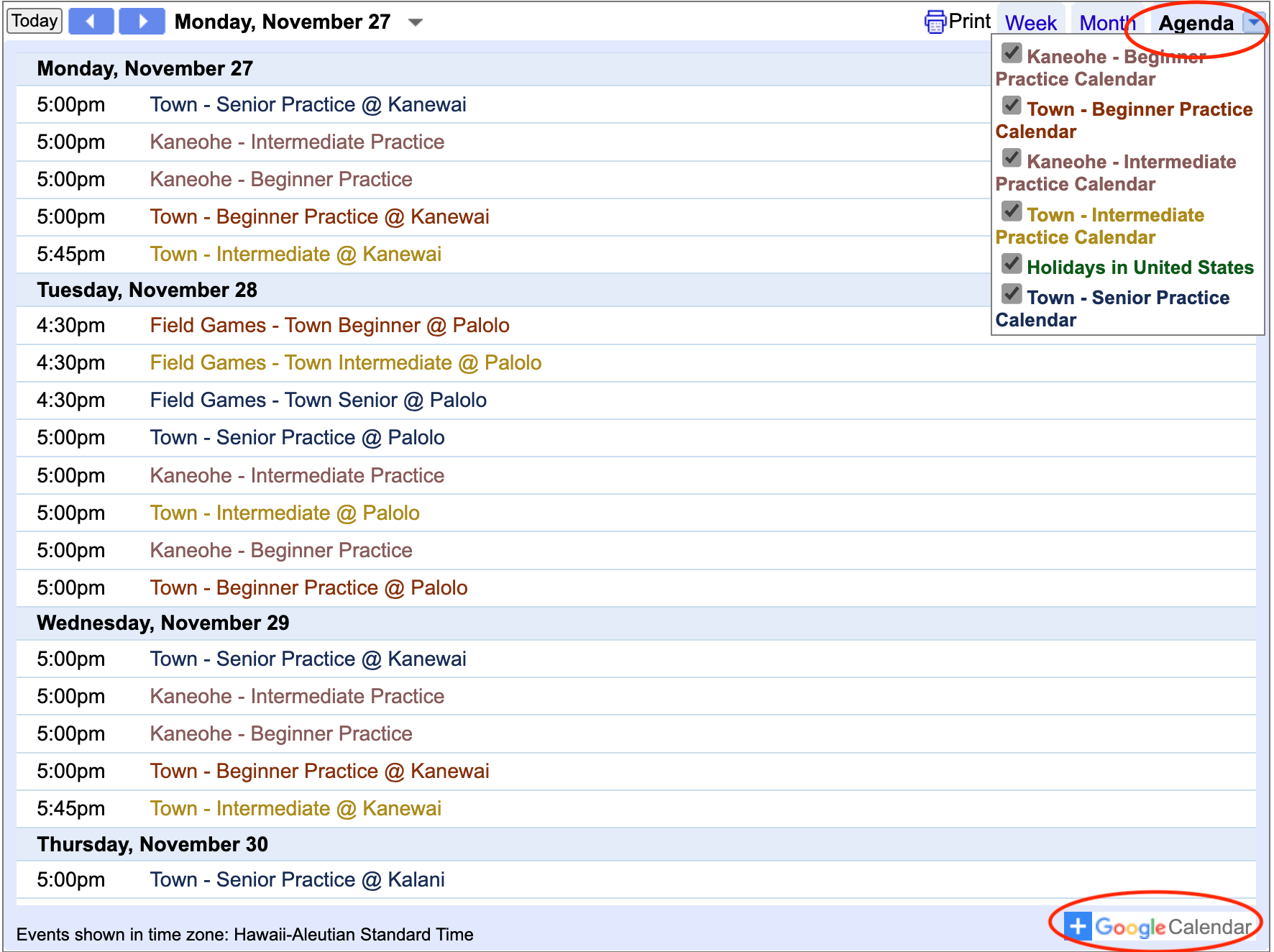 The calendar may be viewed by week, month, or agenda by using the tabs in the upper right of the calendar. The calendar may be viewed by week, month, or agenda by using the tabs in the upper right of the calendar. Some families may prefer to import the calendar to their own electronic device. Click the “+Google Calendar” button in the lower right corner to add to your personal calendar. Follow the on-screen instructions for your individual situation. What does it mean when the calendar indicates TBA? There is something going on at one of our pools which prevents us practicing there (like a HS meet, game, or event). Whenever possible, we re-arrange group practice times so that we don’t have to cancel practice (practice may be at a different time or location on that specfic day). Check the calendar again at a later date to determine the practice status. What happens if there is bad weather? We follow the calendar/operations of the pools where we practice. If a pool is closed due to weather, we most likely will cancel practices as well. The website will always be your best source of information. As soon as we receive confirmation from our host pools, we will post the information. What if I can’t see the entire calendar in my browser window? Depending on your browser settings or screen size, you may not be able to view the entire calendar under the monthly view. Switching to either weekly or agenda view usually solves this problem. |