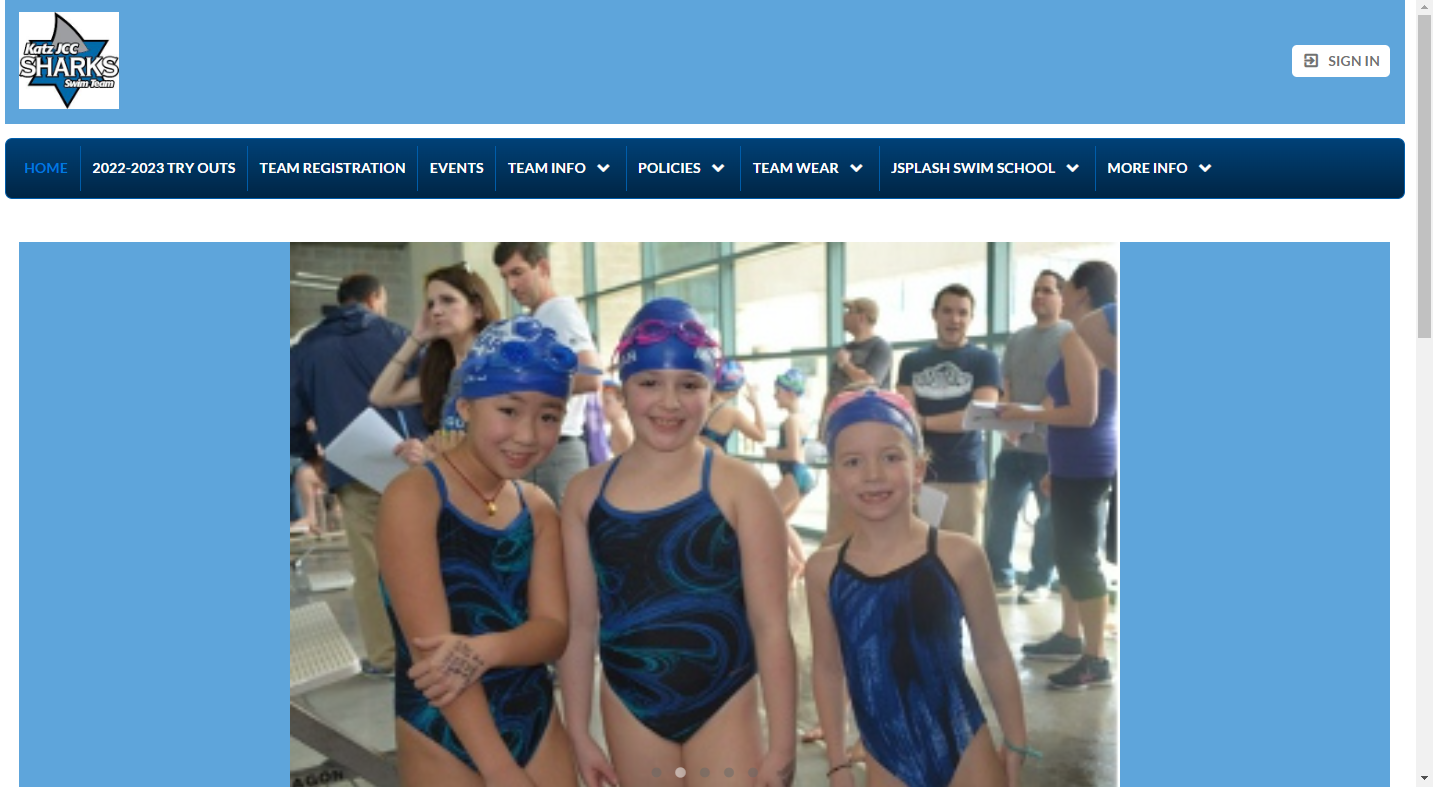
Step 1: Please go to the home page of TeamUnify (Katz JCC Cherry Hill Sharks Home (teamunify.com)) and click sign in at the top right.
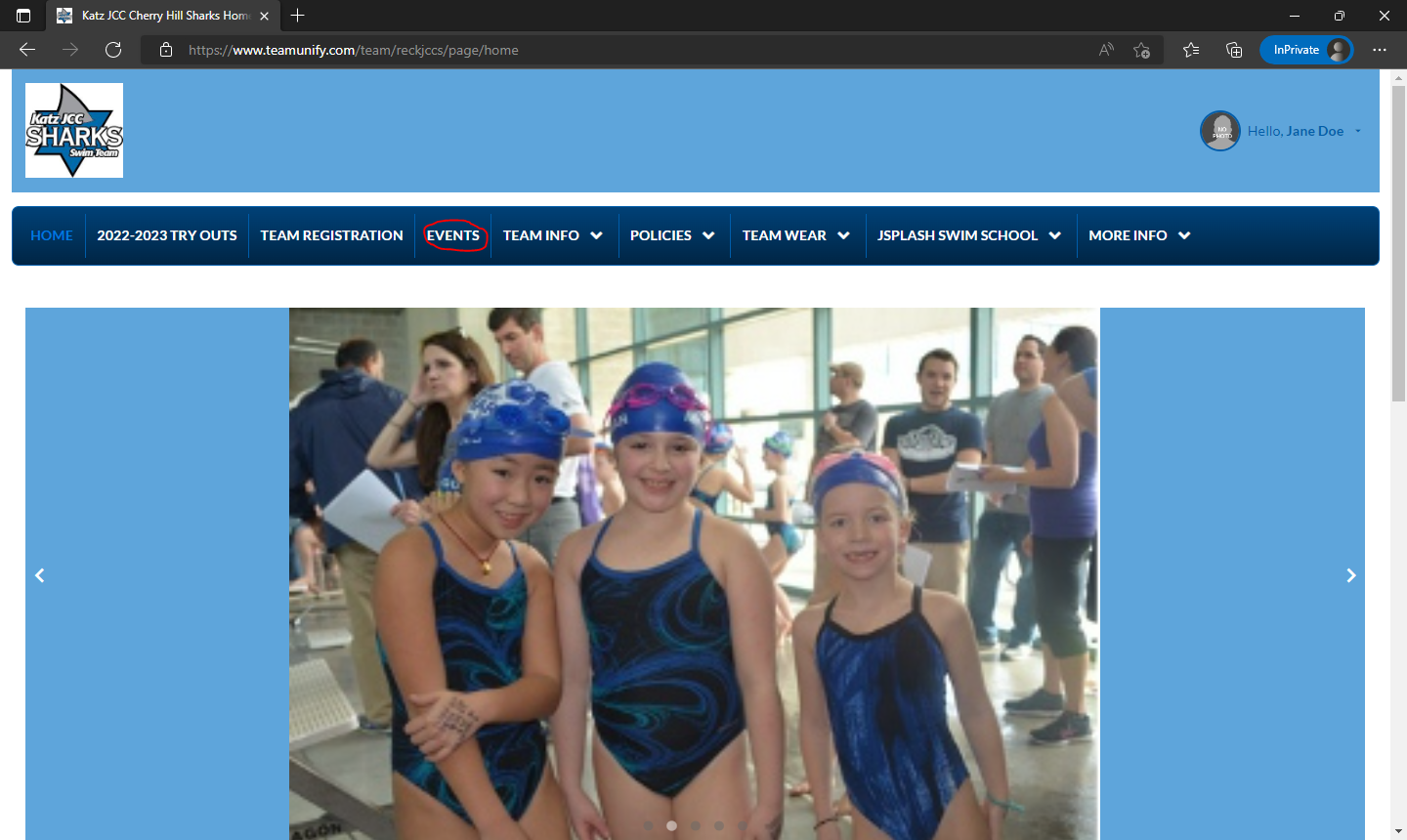
Step 2: Click on Events on the Banner.
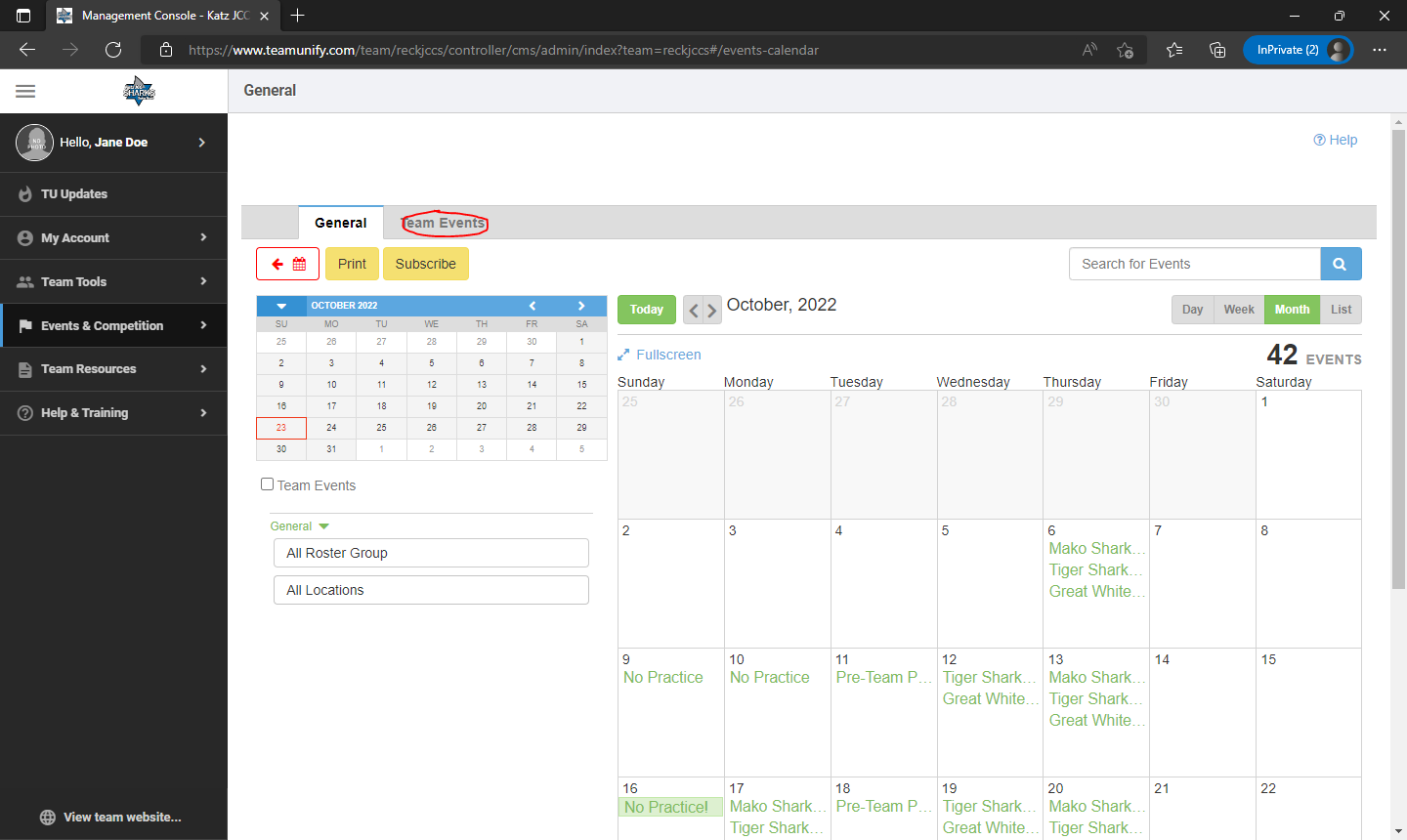
Step 3: Click on the Team Events Tab next to General.
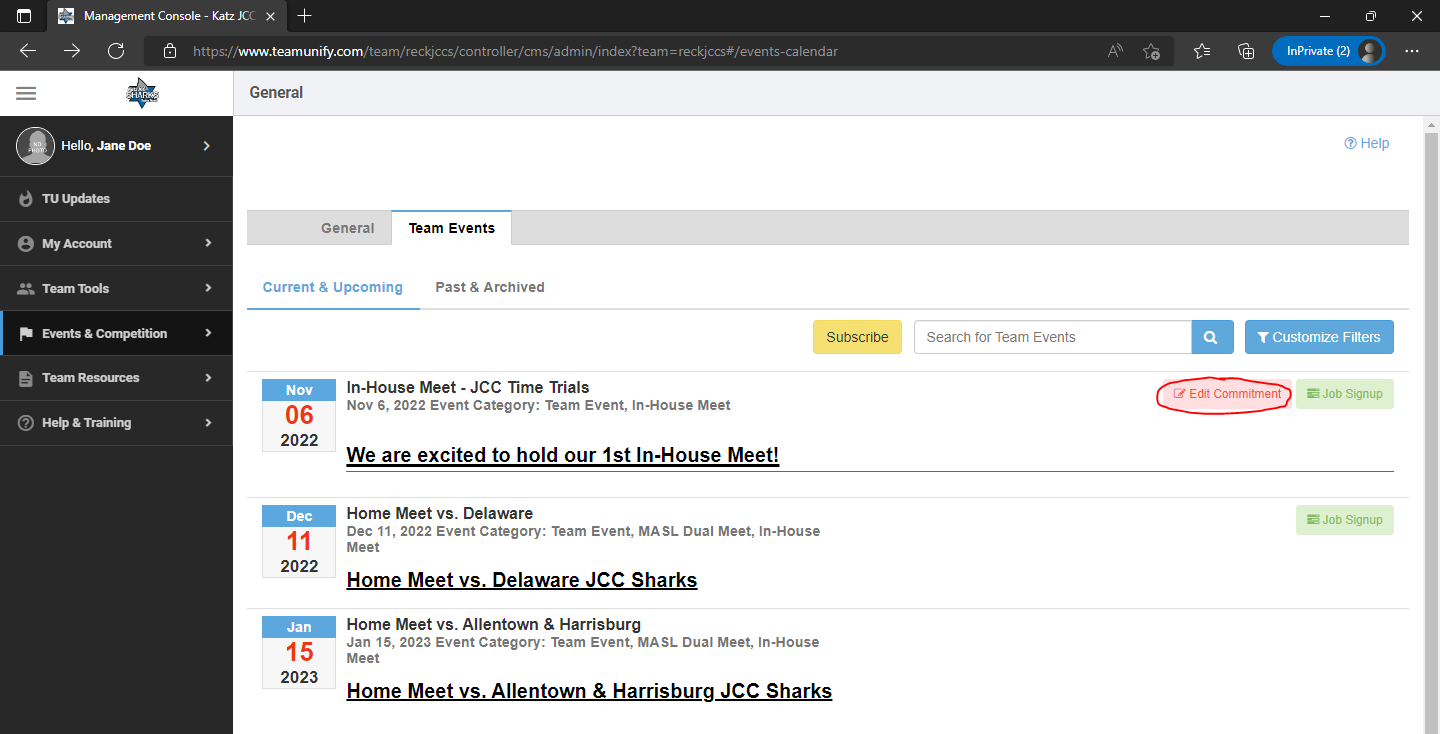
Step 4: Click on the edit commitment on the date of the event you are looking to register for.
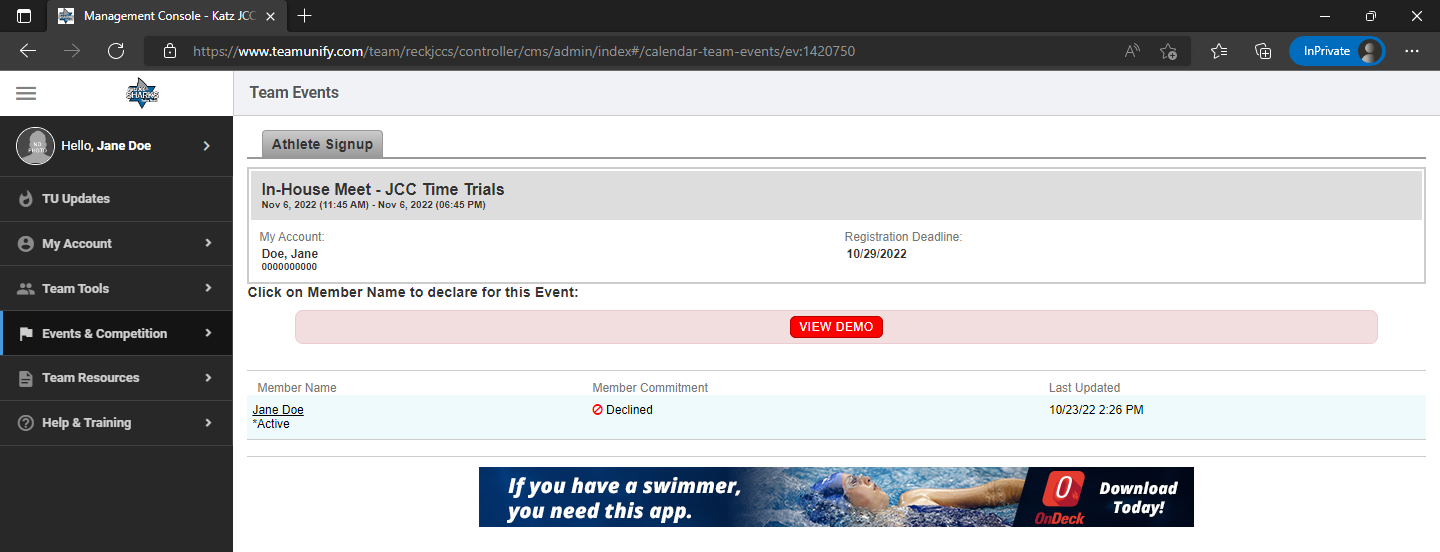
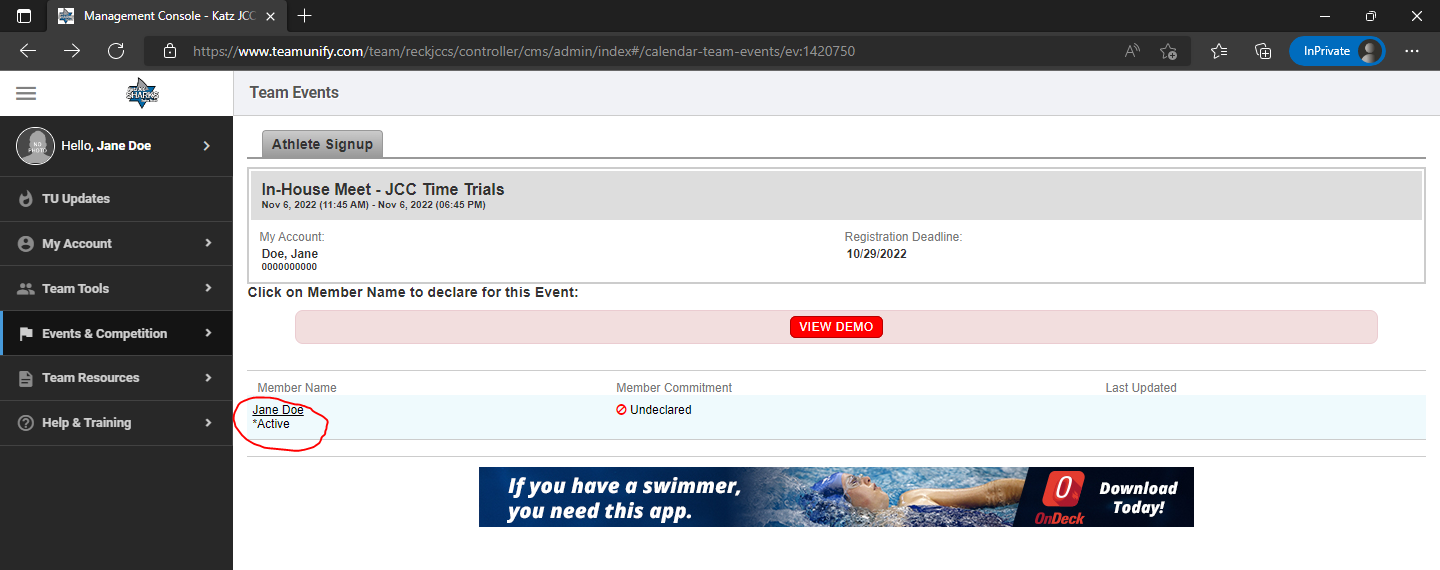
Step 5: Click on the name of the child under Member name.
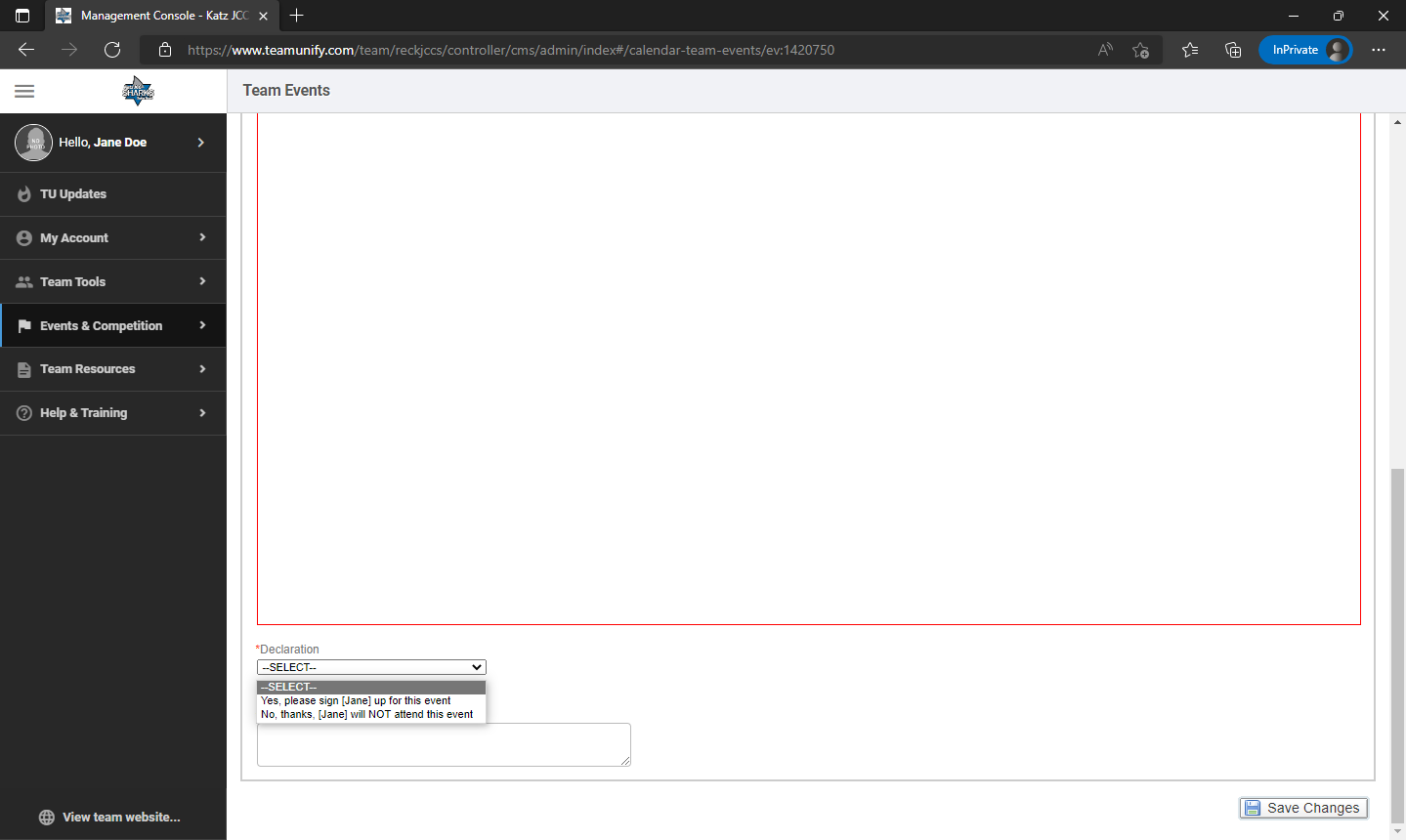
Step 6: Scroll down to the bottom of the page and click select delcration. Make your selection here if you will be attending the event and click save changes at the moment right.
Step 7: Once you save your declaration, you have successfully registered for the event. The page will reload and show the status.
(PLEASE NOTE IF PLANS CHANGE AFTER YOU MADE A DECISION, YOU ARE UNABLE TO CHANGE THE DECISION IN THE FUTURE. PLEASE CONTACT THE COACH IMMEDAITELY IF THE DEADLINE HAS NOT PASSED.)