
Members Website at a Glance


By now, all CW members are probably well acquainted with our public website and the "Account Info" area once you've logged in. But do you know how to get to our Members Website? If the answer is no, then you may be missing out on some important reference information as well as cool stuff, like our Photo Gallery page.
Your first step to accessing the Members Website is to Sign In. After logging in, the "Account Info" view will appear where you can manage your family's account, events/meets and billing information.
To access the Members Website, click on the GLOBE icon on the bottom left corner:
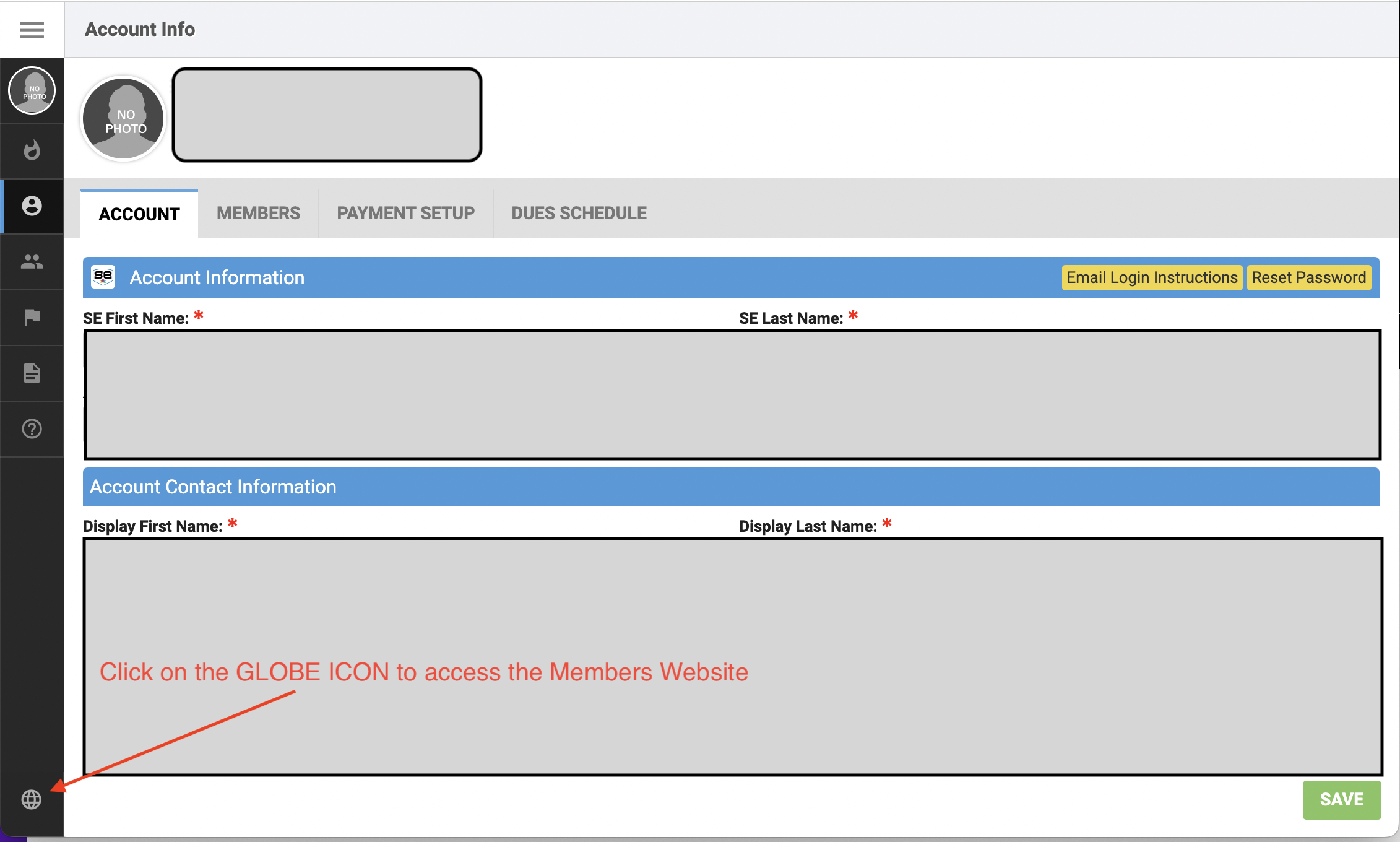
The Members Website should appear in a separate Tab or Window depending on your browser preferences.
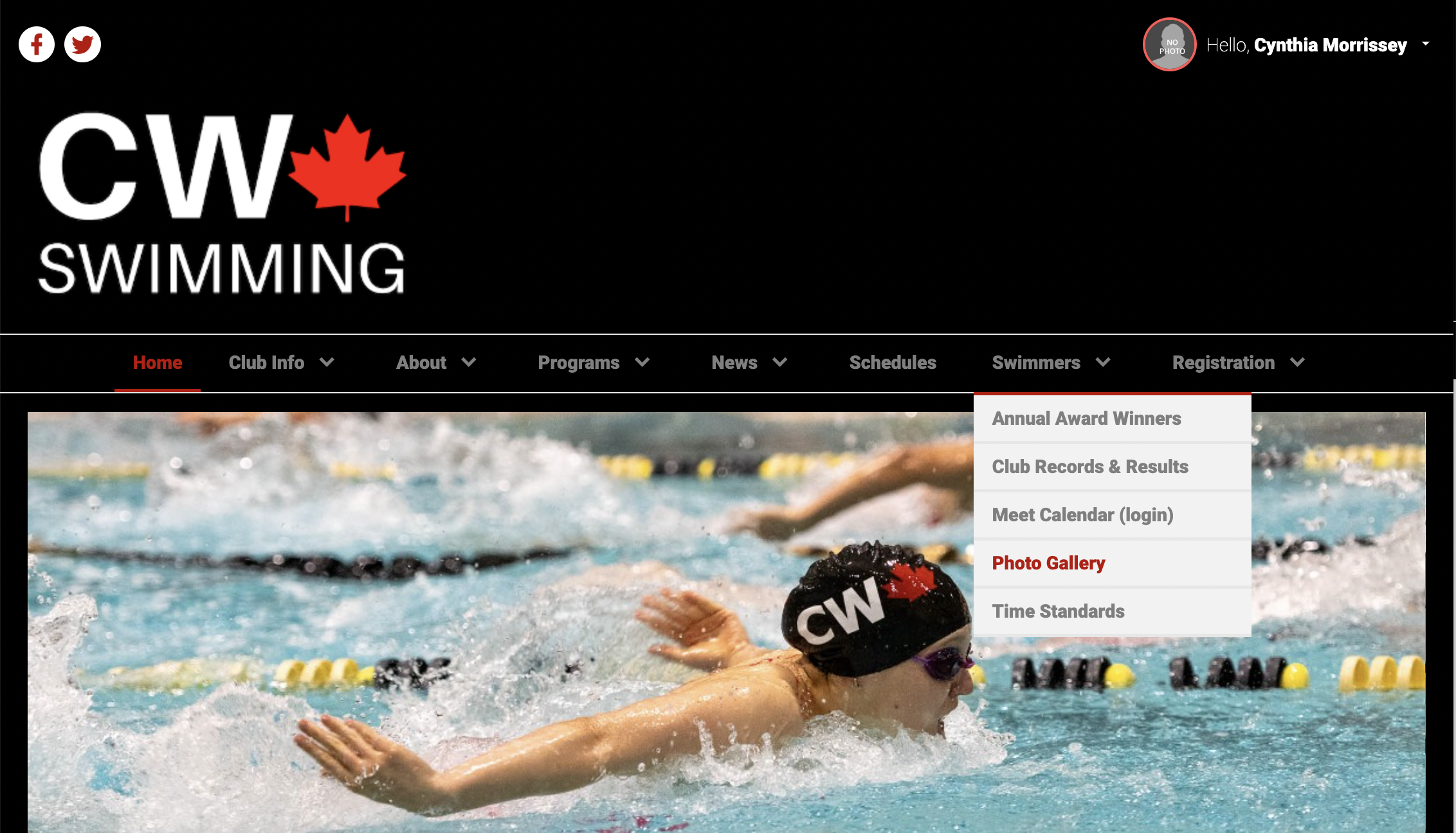
You will see, not only more Top Navigation Tabs on the Members Website, but also more items under some of the tabs. For example, under the "Swimmers" tab, you will find links to the "Annual Award Winners" and "Photo Gallery" webpages:
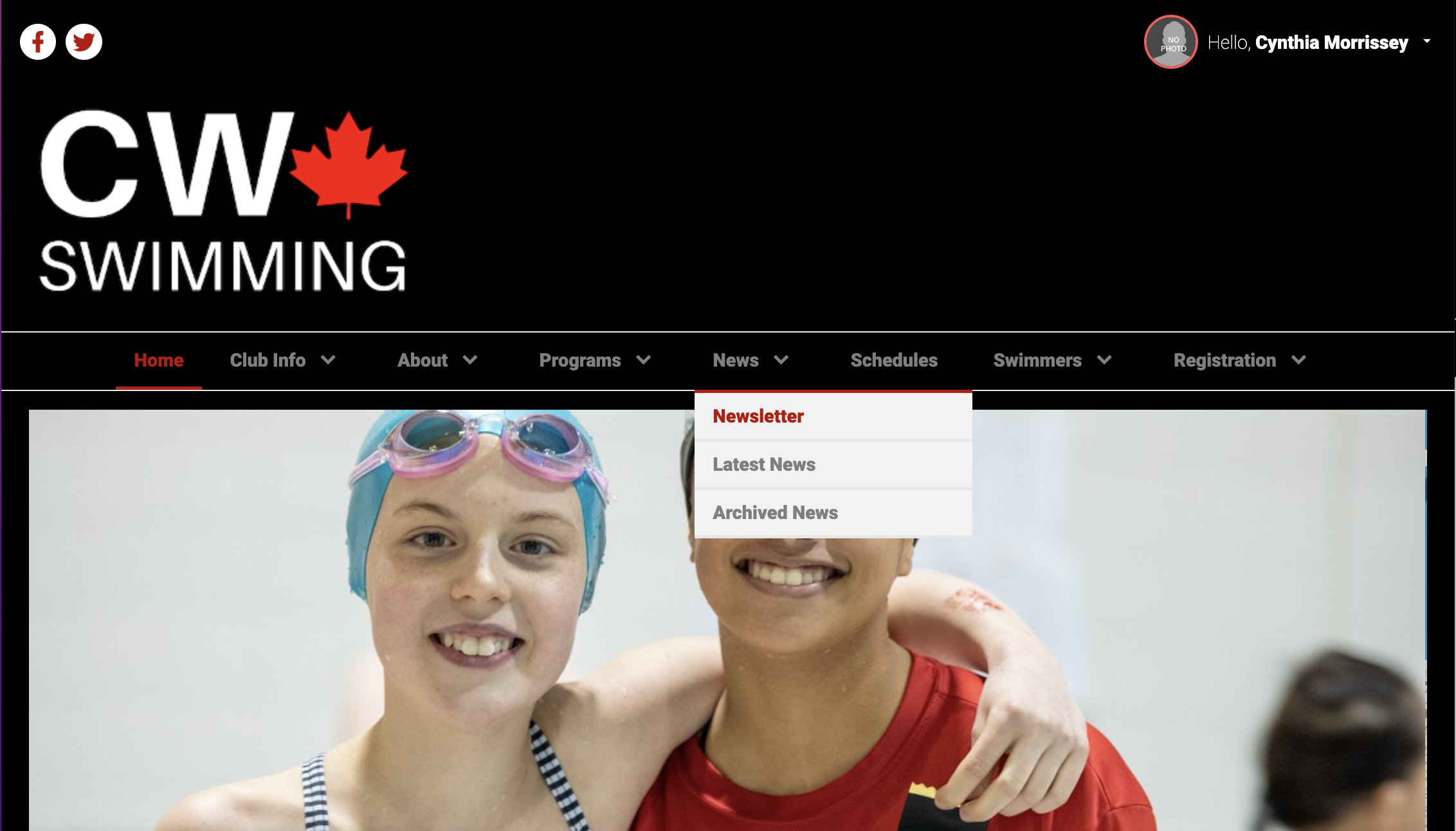
The "News" tab has links to back issues on our monthly "Newsletter" and also "Archived News" where you can read PDFs of articles from 2008-2020 before we moved to our new TeamUnify website.
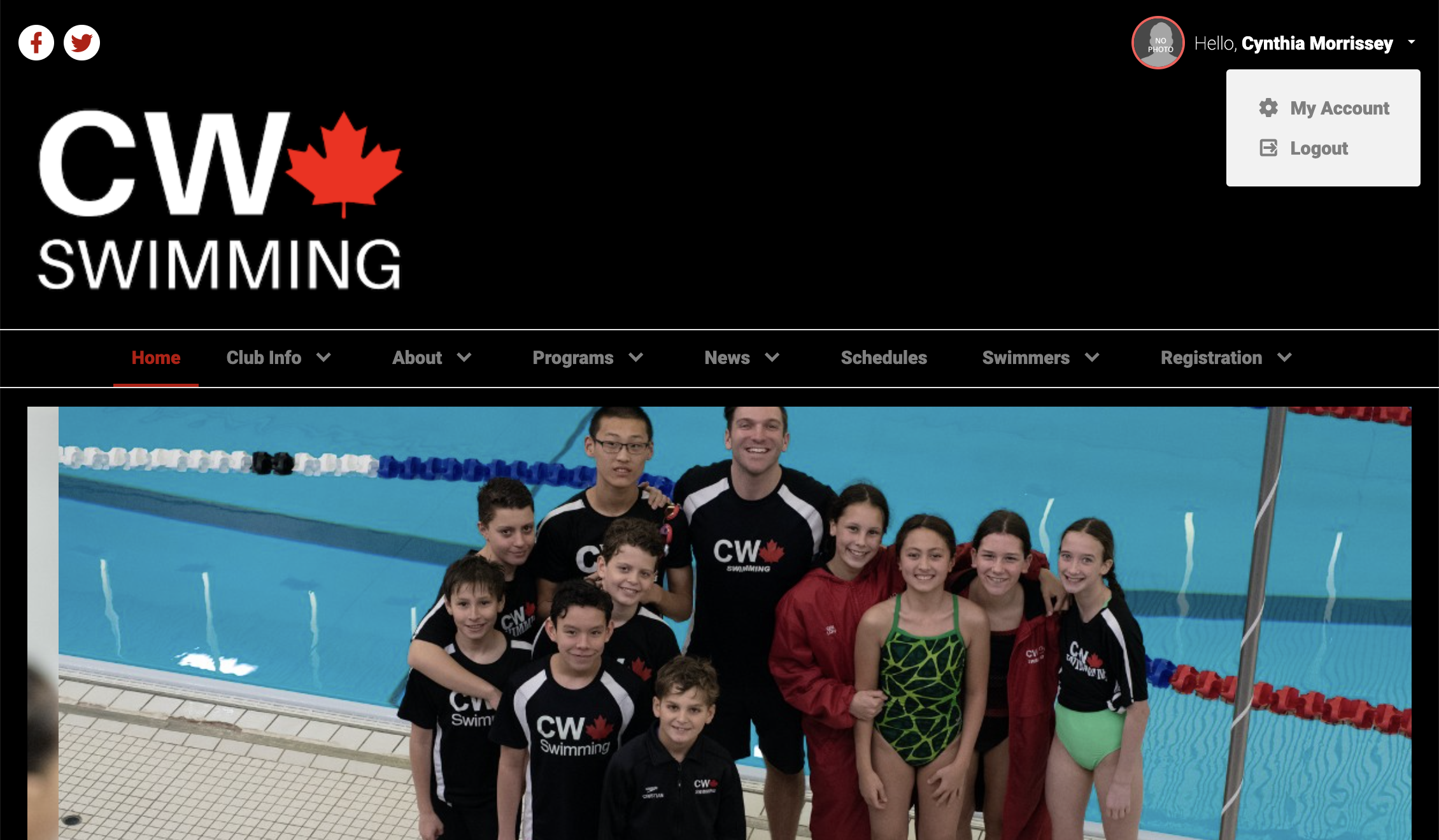
To return to your "Account Info" view, click on the down-arrow next to your Account Name and select "My Account":
The website is evolving as we add more current information and move things around slightly. Have fun exploring!